FeaturesThe mapThe Danger Zone
The Danger Zone
See how far you can go. Plan your fuel / charge stops accordingly.
- Works on
- iPhone, CarPlay

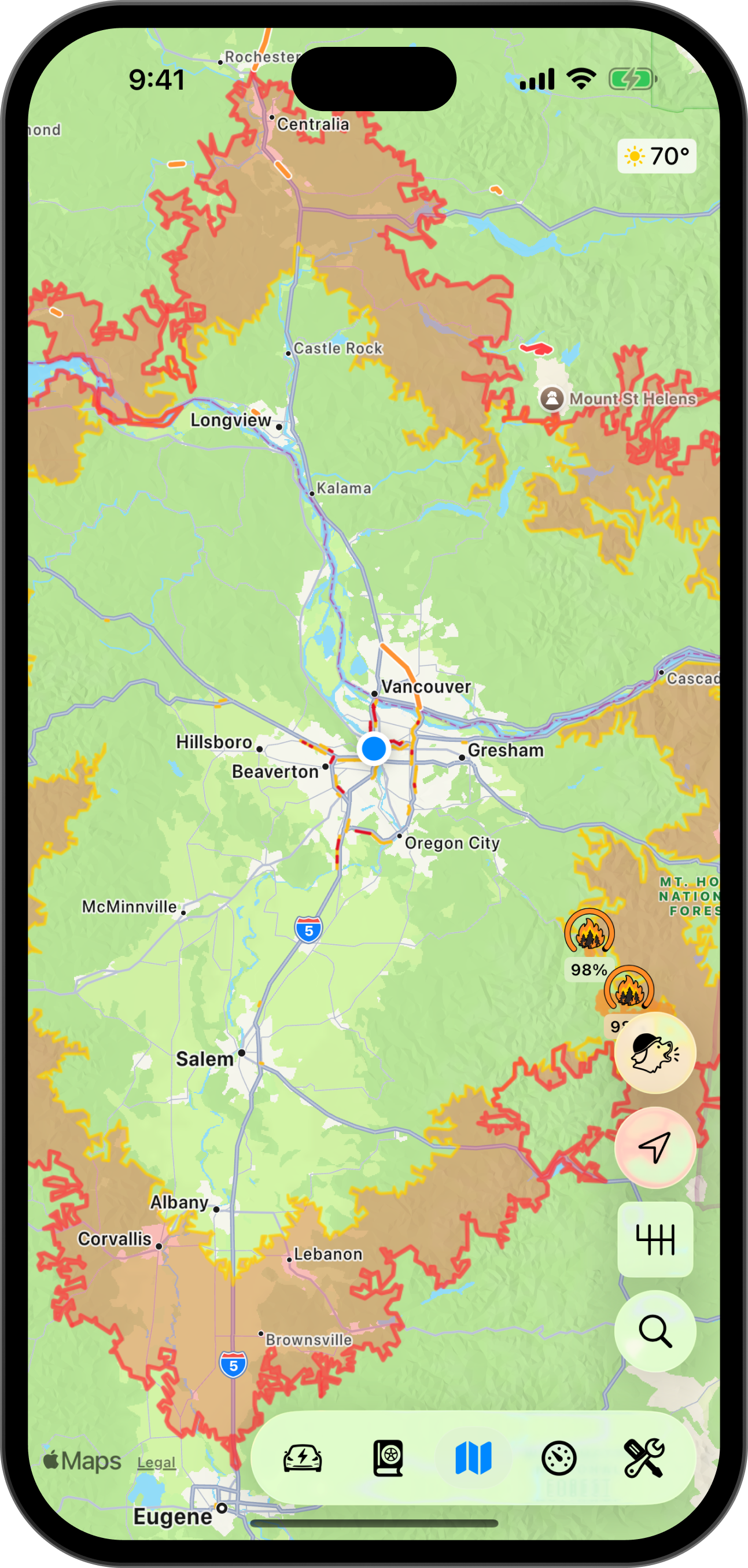
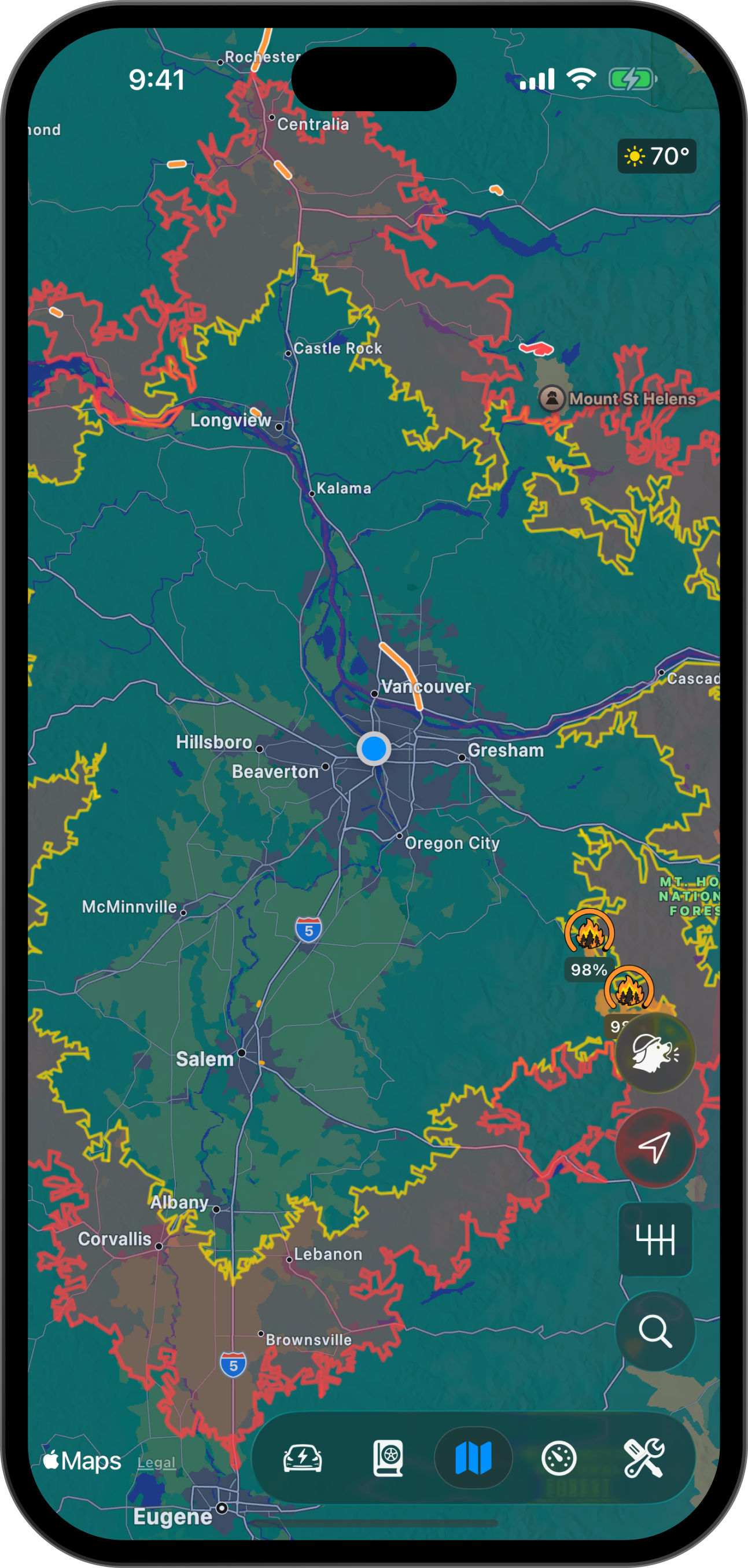
Beware of The Danger Zone
If you've played Pacific Drive, you know the feeling of racing toward the gateway as the zone closes in around you. The Danger Zone gives a similar feeling when you're running on eek.
- Reachable with range to spare
- The Danger Zone; find a stop soon!
- Range, as the crow flies
How it works
Pelican simulates a route following every road out from where you are, in every direction. Each traversal stops where your range runs out, and The Danger Zone is the representation of the furthest roads you can reach.
Watch your range on long road trips
Seeing The Danger Zone shrink in around you as you drive can be a bit of a rush.
Range left
Driven
Warn me at 25 mi40 km
- Reachable with range to spare
- The Danger Zone; find a stop soon!
More map features
Cameras on the map
See speed cameras, red light cameras, license plate readers, surveillance cameras and other fixtures on the map, both when navigating and cruising.
Satellite and 3D terrain
See beautiful, detailed renderings of the world around you on both your phone and CarPlay.
Design your map
Pelican exposes many knobs, sliders, and toggles to help you design the map that meets your needs.