
Works with your scanner
Already have a scanner? You're likely good to go then. Pelican is designed to work with as many brands of scanner as possible.
Your car generates millions of datapoints on every drive. Pelican helps you capture this data over time with an OBD scanner.
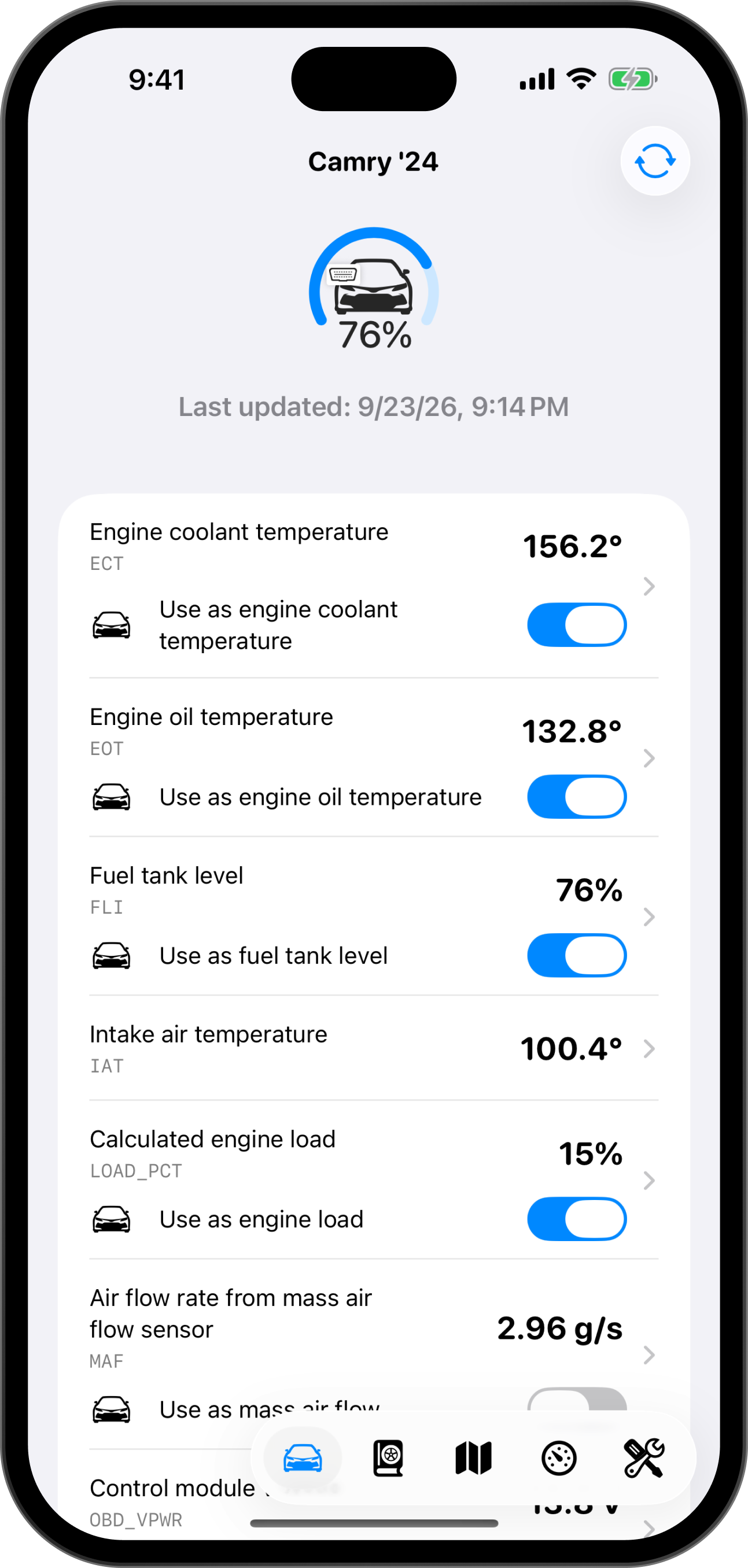
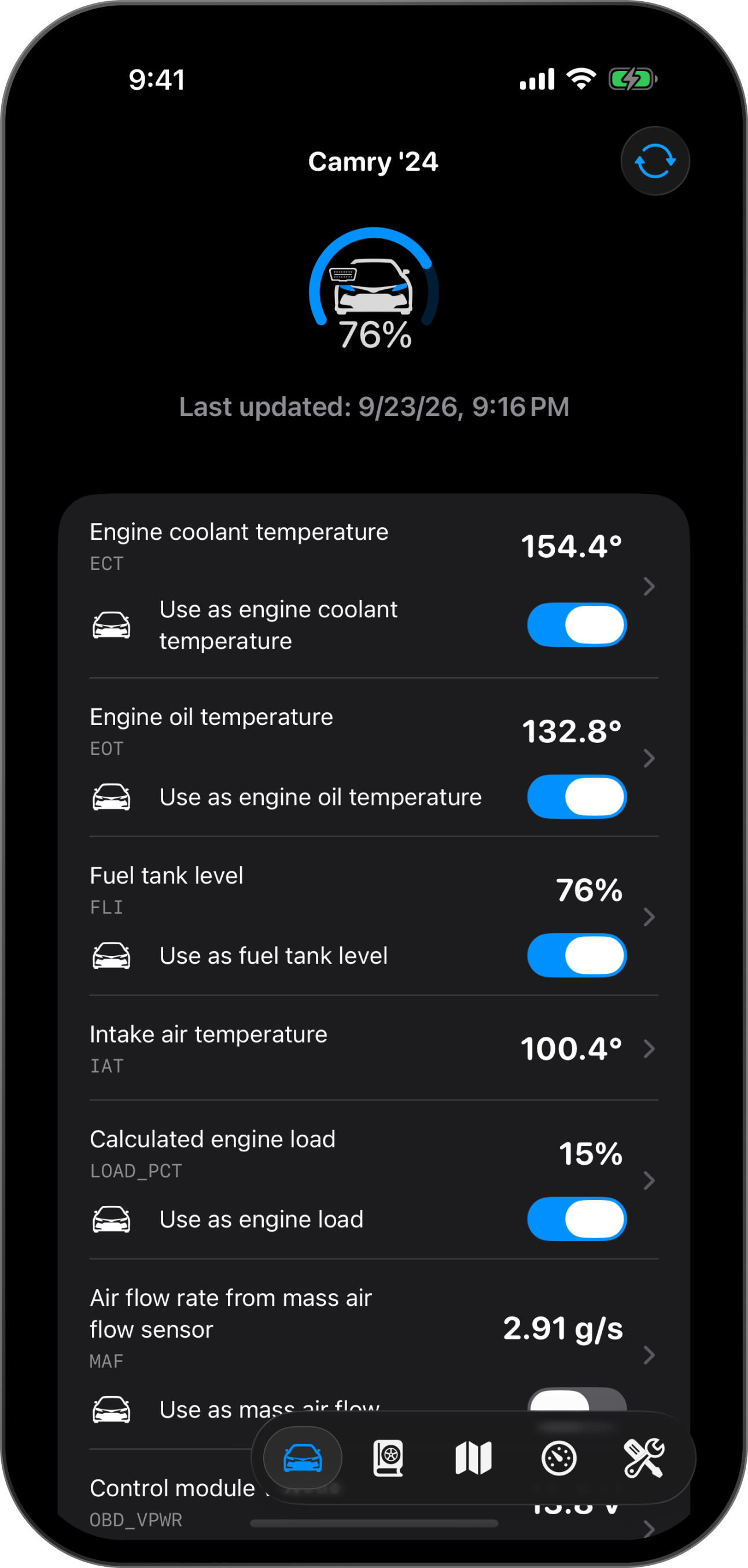
If you’re like most drivers, you learned about the existence of the OBD-II port only after something happened to your car and its check engine light turned on. A couple searches and videos later, and you’ve now found yourself in the footwell of your car, feeling around for a port that you didn’t know existed. That port is the OBD-II port, and it’s the gateway to talking your car.
OBD stands for on-board diagnostics. It’s how your car keeps an eye on its own health. OBD-II is an automotive industry standard, required on every car sold in the US as part of emission regulation requirements since 1996 and in Europe since 2001, and also used on electric vehicles even though emissions requirements don’t really apply to them.
A modern car is a network of computers. The engine, the transmission, the brakes and the battery each have a control unit, and they talk to each other over a shared network called the CAN bus (Controller Area Network).
OBD-II requires that network to respond to a predetermined set of commands, and to respond with industry-defined parameters that help mechanics, emissions testers, and you evaluate the health of your car in a predictable way.
A car typically makes two kinds of information available over OBD-II:
Every car shares a standard set of parameters, and most makes add many more of their own, like a turbo’s boost or a battery’s cell temperatures. Pelican reads both, using the OBDb, the open database of vehicle signals. You can browse the parameters that work with different cars in the car catalog.
The port is inside the cabin, under the dashboard and below the steering wheel. It’s hard to find by feel from the driver’s seat, so look for it with a flashlight. Check that your car has one before you buy a scanner. Most cars do have one, but the position of the port varies by make, model, and year.
Pelican works with three kinds of scanner:
Avoid BLCKTEC scanners, including the 410 and 430, and OBDeleven scanners. They use their own protocols, which no general-purpose scanning app, including Pelican, can talk to.
In Pelican, open Settings > OBD scanning > Your scanners.
Add BTLE scanners directly from Pelican, not in the iOS Bluetooth settings. Classic Bluetooth scanners, on the other hand, require you to pair it in the iOS Settings app first, and only then will it appear in Pelican. To connect to Wi-Fi scanners, join their network first.
Turn on Auto-connect known scanners and Pelican will connect automatically to your scanner whenever the app opens or a trip starts.
Most scanners let any nearby device connect to them while they have power, so a scanner left plugged in can be a security risk for your car. Unplug it when you’re not using it, or use an OBD extension cable with a power switch, so you can turn it off without reaching under the dashboard.
Scanning is free in sessions of five minutes. ScanPlan or Pelican+ removes the limit, and a ScanPass gives unlimited scanning for a day or a week, with no membership needed. Compare them on Pelican memberships.
How temperature and battery level affect charging speed.
68°F20°C
Min pack temp for fast charging
2.5×
Warm battery charge boost
40%
Fastest charging below this battery level
Charging power kW
Cold battery: power increases as the battery warms upWarm battery: power tapers with battery level
Battery temperature °F°C
Battery level
The car in this session was on a DC fast charger.
Already have a scanner? You're likely good to go then. Pelican is designed to work with as many brands of scanner as possible.
Pelican OBD is a read-only scanner, meaning it's not possible to affect any part of your car through day-to-day use of Pelican. Pelican isn't a tuner.
The first question I get when people learn about Pelican is "which scanner should I buy"? The table below should help you make an informed decision.
| Product | Supported | Type | PIDs per second | Speed (ms) | Price (USD) | Where to buy |
|---|---|---|---|---|---|---|
| ELM327 Bluetooth OBD2 Scanner | BTLE | up to 4.7/s | Amazon | |||
| Micro Mechanic | BTLE | up to 11/s | Amazon | |||
| Veepeak Mini WiFi | Wi-Fi | up to 28/s | Amazon | |||
| Vgate iCar Pro Bluetooth 3.0 | BTLE | 28.99 | Amazon | |||
| Carista | BTLE | up to 17/s | 29.99 | Amazon | ||
| OBD2 Scanner Reader | BTLE | up to 13/s | 29.99 | Amazon | ||
| Veepeak OBDCheck BLE | BTLE | up to 17/s | 31.99 | Amazon | ||
| Vgate iCar Pro Wi-Fi | Wi-Fi | up to 29/s | 33.99 | Amazon | ||
| Vgate iCar Pro Bluetooth 4.0 | BTLE | up to 34/s | 34.99 | Amazon | ||
| LELink^2 | BTLE | up to 17/s | 35.00 | Amazon | ||
| Vgate iCar Pro 2S | BTLE | up to 34/s | 37.99 | Amazon | ||
| Infocar | BTLE | up to 17/s | Amazon | |||
| AUTOPHIX | BTLE | 39.99 | Amazon | |||
| BLCKTEC 410 Telematics Lite | BTLE | Amazon | ||||
| FIXD | BTLE | 39.99 | Amazon | |||
| Veepeak OBDCheck BLE+ | BTLE | up to 17/s | 41.98 | Amazon | ||
| Konnwei | BTLE | up to 17/s | Amazon | |||
| Vgate vLinker BM+ | BTLE | up to 34/s | 49.99 | Amazon | ||
| Hyper Tough HT500 | BTLE | up to 6.7/s | 55.12 | Walmart | ||
| nonda | BTLE | up to 6.7/s | 59.99 | nonda.co | ||
| vLinker FS | Classic Bluetooth | up to 58/s | 66.69 | Amazon | ||
| Vgate vLinker MC+ | BTLE | up to 34/s | 68.99 | Amazon | ||
| vLinker MS | Classic Bluetooth | up to 62/s | 76.49 | Amazon | ||
| OBDLink CX | BTLE | up to 17/s | 79.95 | Amazon | ||
| TopScan | Classic Bluetooth | 79.99 | Amazon | |||
| MeatPi WICAN Pro | Wi-Fi | up to 153/s | 89.00 | MeatPi | ||
| MeatPi WICAN Pro | BTLE | up to 17/s | 89.00 | MeatPi | ||
| OBDLink LX | BTLE | 89.95 | Amazon | |||
| BLCKTEC 430 | BTLE | 89.99 | Amazon | |||
| Bouncie | Classic Bluetooth | 89.99 | Amazon | |||
| UniCarScan | BTLE | up to 17/s | 92.99 | Amazon | ||
| DND ECHO | Classic Bluetooth | 99.99 | Amazon, obd.ai | |||
| SPARQ OBD2 | BTLE | up to 17/s | 129.00 | Amazon | ||
| BlueDriver | BTLE | 139.95 | Amazon | |||
| OBDLink MX+ | Classic Bluetooth | up to 27/s | 139.95 | Amazon | ||
| OBDeleven | BTLE | 269.97 | Amazon |
No tested scanners match these filters.
| Product | Supported | Type | PIDs per second | Speed (ms) | Price (EUR) | Where to buy |
|---|---|---|---|---|---|---|
| Vgate iCar Pro Bluetooth 3.0 | BTLE | 20.99 | Amazon | |||
| Vgate iCar Pro Wi-Fi | Wi-Fi | up to 29/s | 25.49 | Amazon | ||
| Vgate iCar Pro Bluetooth 4.0 | BTLE | up to 34/s | 30.79 | Amazon | ||
| Carista | BTLE | up to 17/s | 33.99 | Amazon | ||
| Veepeak OBDCheck BLE+ | BTLE | up to 17/s | 47.99 | Amazon | ||
| Vgate vLinker MC+ | BTLE | up to 34/s | 54.99 | Amazon | ||
| AUTOPHIX | BTLE | 71.52 | Amazon | |||
| OBDeleven | BTLE | 76.42 | Amazon | |||
| TopScan | Classic Bluetooth | 79.99 | Amazon | |||
| UniCarScan | BTLE | up to 17/s | 79.99 | Amazon | ||
| Vgate iCar Pro 2S | BTLE | up to 34/s | 83.39 | Amazon | ||
| FIXD | BTLE | 87.22 | Amazon | |||
| LELink^2 | BTLE | up to 17/s | 90.54 | Amazon | ||
| OBDLink LX | BTLE | 109.99 | Amazon | |||
| BlueDriver | BTLE | 142.48 | Amazon | |||
| vLinker MS | Classic Bluetooth | up to 62/s | 148.07 | Amazon | ||
| vLinker FS | Classic Bluetooth | up to 58/s | 164.62 | Amazon | ||
| Bouncie | Classic Bluetooth | 184.04 | Amazon | |||
| DND ECHO | Classic Bluetooth | 238.15 | Amazon, obd.ai |
No tested scanners match these filters.
| Product | Supported | Type | PIDs per second | Speed (ms) | Price (BRL) | Where to buy |
|---|---|---|---|---|---|---|
| ELM327 Bluetooth OBD2 Scanner | BTLE | up to 4.7/s | 153.48 | Amazon | ||
| OBD2 Scanner Reader | BTLE | up to 13/s | 207.48 | Amazon | ||
| LELink^2 | BTLE | up to 17/s | 365.30 | Amazon | ||
| FIXD | BTLE | 400.95 | Amazon | |||
| Veepeak OBDCheck BLE | BTLE | up to 17/s | 527.54 | Amazon | ||
| BlueDriver | BTLE | 962.27 | Amazon | |||
| OBDLink LX | BTLE | 1,689.00 | Amazon |
No tested scanners match these filters.
| Product | Supported | Type | PIDs per second | Speed (ms) | Price (CAD) | Where to buy |
|---|---|---|---|---|---|---|
| OBD2 Scanner Reader | BTLE | up to 13/s | 22.94 | Amazon | ||
| Vgate iCar Pro Bluetooth 3.0 | BTLE | 27.90 | Amazon | |||
| Veepeak Mini WiFi | Wi-Fi | up to 28/s | 29.99 | Amazon | ||
| Vgate iCar Pro Wi-Fi | Wi-Fi | up to 29/s | 37.99 | Amazon | ||
| Micro Mechanic | BTLE | up to 11/s | 39.54 | Amazon | ||
| Vgate iCar Pro Bluetooth 4.0 | BTLE | up to 34/s | 39.99 | Amazon | ||
| Veepeak OBDCheck BLE | BTLE | up to 17/s | 44.99 | Amazon | ||
| Vgate iCar Pro 2S | BTLE | up to 34/s | 45.99 | Amazon | ||
| Veepeak OBDCheck BLE+ | BTLE | up to 17/s | 51.99 | Amazon | ||
| Vgate vLinker BM+ | BTLE | up to 34/s | 53.99 | Amazon | ||
| Carista | BTLE | up to 17/s | 54.99 | Amazon | ||
| FIXD | BTLE | 66.99 | Amazon | |||
| AUTOPHIX | BTLE | 69.00 | Amazon | |||
| Vgate vLinker MC+ | BTLE | up to 34/s | 75.99 | Amazon | ||
| vLinker FS | Classic Bluetooth | up to 58/s | 85.99 | Amazon | ||
| vLinker MS | Classic Bluetooth | up to 62/s | 95.99 | Amazon | ||
| TopScan | Classic Bluetooth | 99.99 | Amazon | |||
| OBDLink CX | BTLE | up to 17/s | 114.95 | Amazon | ||
| Bouncie | Classic Bluetooth | 119.99 | Amazon | |||
| OBDeleven | BTLE | 122.26 | Amazon | |||
| OBDLink LX | BTLE | 129.95 | Amazon | |||
| Konnwei | BTLE | up to 17/s | 136.59 | Amazon | ||
| OBDLink MX+ | Classic Bluetooth | up to 27/s | 209.95 | Amazon |
No tested scanners match these filters.
| Product | Supported | Type | PIDs per second | Speed (ms) | Price (EUR) | Where to buy |
|---|---|---|---|---|---|---|
| Vgate iCar Pro Bluetooth 3.0 | BTLE | 20.00 | Amazon | |||
| Vgate iCar Pro Wi-Fi | Wi-Fi | up to 29/s | 29.99 | Amazon | ||
| Veepeak OBDCheck BLE | BTLE | up to 17/s | 39.99 | Amazon | ||
| Carista | BTLE | up to 17/s | 42.99 | Amazon | ||
| AUTOPHIX | BTLE | 49.99 | Amazon | |||
| Veepeak OBDCheck BLE+ | BTLE | up to 17/s | 49.99 | Amazon | ||
| LELink^2 | BTLE | up to 17/s | 58.48 | Amazon | ||
| Vgate vLinker MC+ | BTLE | up to 34/s | 59.99 | Amazon | ||
| TopScan | Classic Bluetooth | 79.99 | Amazon | |||
| UniCarScan | BTLE | up to 17/s | 79.99 | Amazon | ||
| OBDeleven | BTLE | 95.66 | Amazon | |||
| OBDLink CX | BTLE | up to 17/s | 99.99 | Amazon | ||
| OBDLink MX+ | Classic Bluetooth | up to 27/s | 169.99 | Amazon |
No tested scanners match these filters.
| Product | Supported | Type | PIDs per second | Speed (ms) | Price (INR) | Where to buy |
|---|---|---|---|---|---|---|
| Carista | BTLE | up to 17/s | 4,999 | Amazon | ||
| Veepeak Mini WiFi | Wi-Fi | up to 28/s | 5,275.2 | Amazon | ||
| Micro Mechanic | BTLE | up to 11/s | 7,530.78 | Amazon | ||
| Vgate iCar Pro Bluetooth 3.0 | BTLE | 8,792.47 | Amazon | |||
| Vgate iCar Pro 2S | BTLE | up to 34/s | 9,715 | Amazon | ||
| Konnwei | BTLE | up to 17/s | 10,999 | Amazon | ||
| Vgate iCar Pro Wi-Fi | Wi-Fi | up to 29/s | 13,699 | Amazon | ||
| vLinker FS | Classic Bluetooth | up to 58/s | 15,992 | Amazon | ||
| Vgate iCar Pro Bluetooth 4.0 | BTLE | up to 34/s | 15,999 | Amazon | ||
| Veepeak OBDCheck BLE | BTLE | up to 17/s | 16,999 | Amazon | ||
| BlueDriver | BTLE | 20,700 | Amazon | |||
| Vgate vLinker MC+ | BTLE | up to 34/s | 25,599 | Amazon | ||
| Veepeak OBDCheck BLE+ | BTLE | up to 17/s | 29,699 | Amazon | ||
| OBDLink MX+ | Classic Bluetooth | up to 27/s | 32,999 | Amazon |
No tested scanners match these filters.
| Product | Supported | Type | PIDs per second | Speed (ms) | Price (GBP) | Where to buy |
|---|---|---|---|---|---|---|
| Vgate iCar Pro Bluetooth 3.0 | BTLE | 17.78 | Amazon | |||
| Veepeak Mini WiFi | Wi-Fi | up to 28/s | 19.99 | Amazon | ||
| Vgate iCar Pro Bluetooth 4.0 | BTLE | up to 34/s | 22.06 | Amazon | ||
| Vgate iCar Pro Wi-Fi | Wi-Fi | up to 29/s | 22.99 | Amazon | ||
| AUTOPHIX | BTLE | 25.99 | Amazon | |||
| LELink^2 | BTLE | up to 17/s | 29.00 | Amazon | ||
| Veepeak OBDCheck BLE | BTLE | up to 17/s | 39.99 | Amazon | ||
| Carista | BTLE | up to 17/s | 44.99 | Amazon | ||
| Veepeak OBDCheck BLE+ | BTLE | up to 17/s | 44.99 | Amazon | ||
| Vgate vLinker MC+ | BTLE | up to 34/s | 54.89 | Amazon | ||
| UniCarScan | BTLE | up to 17/s | 67.99 | Amazon | ||
| TopScan | Classic Bluetooth | 69.99 | Amazon | |||
| OBDeleven | BTLE | 84.39 | Amazon | |||
| OBDLink CX | BTLE | up to 17/s | 84.95 | Amazon | ||
| OBDLink LX | BTLE | 95.50 | Amazon | |||
| BlueDriver | BTLE | 114.00 | Amazon | |||
| SPARQ OBD2 | BTLE | up to 17/s | 119.60 | Amazon | ||
| OBDLink MX+ | Classic Bluetooth | up to 27/s | 147.50 | Amazon | ||
| DND ECHO | Classic Bluetooth | 191.11 | Amazon, obd.ai |
No tested scanners match these filters.
Fastmode means the scanner allows Pelican to optimize scanner throughput for faster response times.
The turbo symbol means a scanner supports it.
Explore your car's internals and test new parameters with Pelican's powerful OBD terminal.
Discover the electronic control units and parameters your car responds to with an automatic scan.
Dig into the details of each scan session with charts and animations.
Amazon links on this page are affiliate links. Buying through one supports Pelican at no cost to you.